RADIO Player Pro
 RADIO AdsMan Pro
 RADIO Logger Pro
 RADIO Reporter Pro
 RADIO Base Pro
 RADIO Rotator Pro
RADIO Player Pro
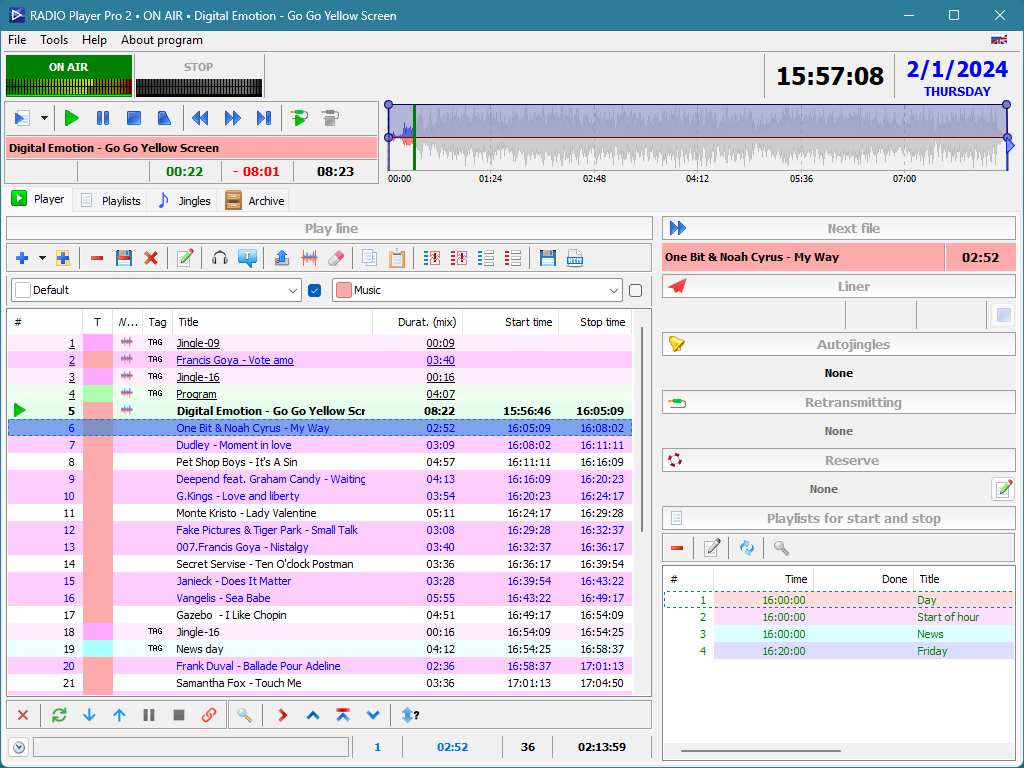
Player
The Play line tab with start and stop time per file; the right column shows next file, autojingles and reserve.
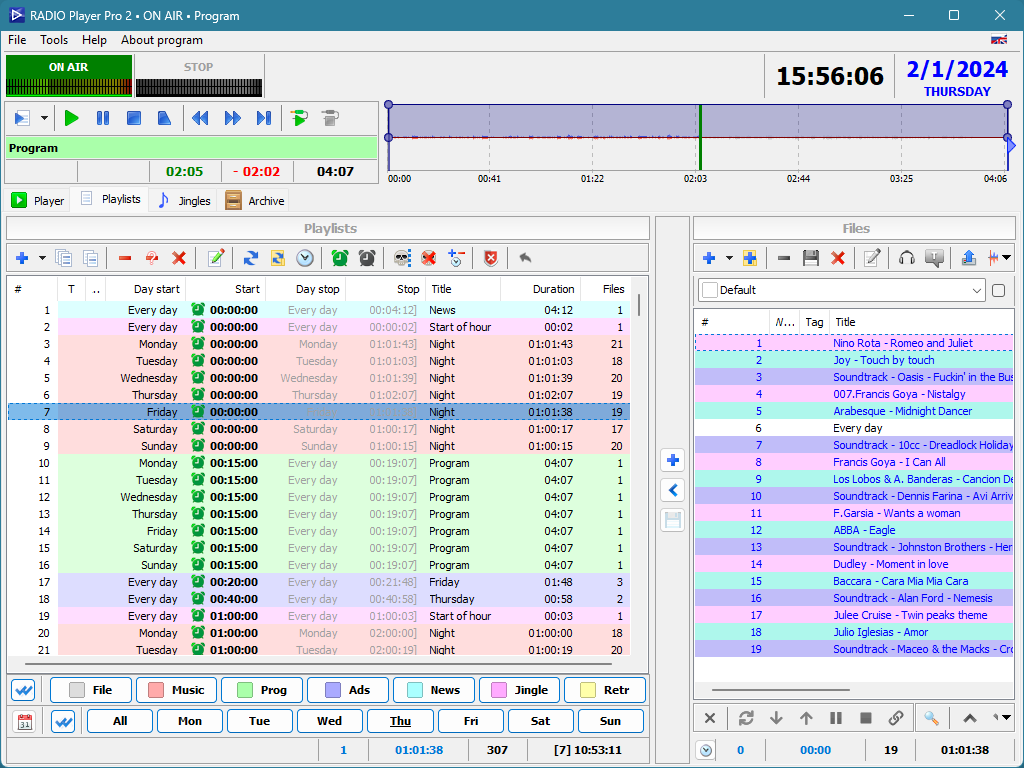
Playlists
Playlists with autostart day and time, duration and file count, filtered by type and weekday, with the file panel alongside.
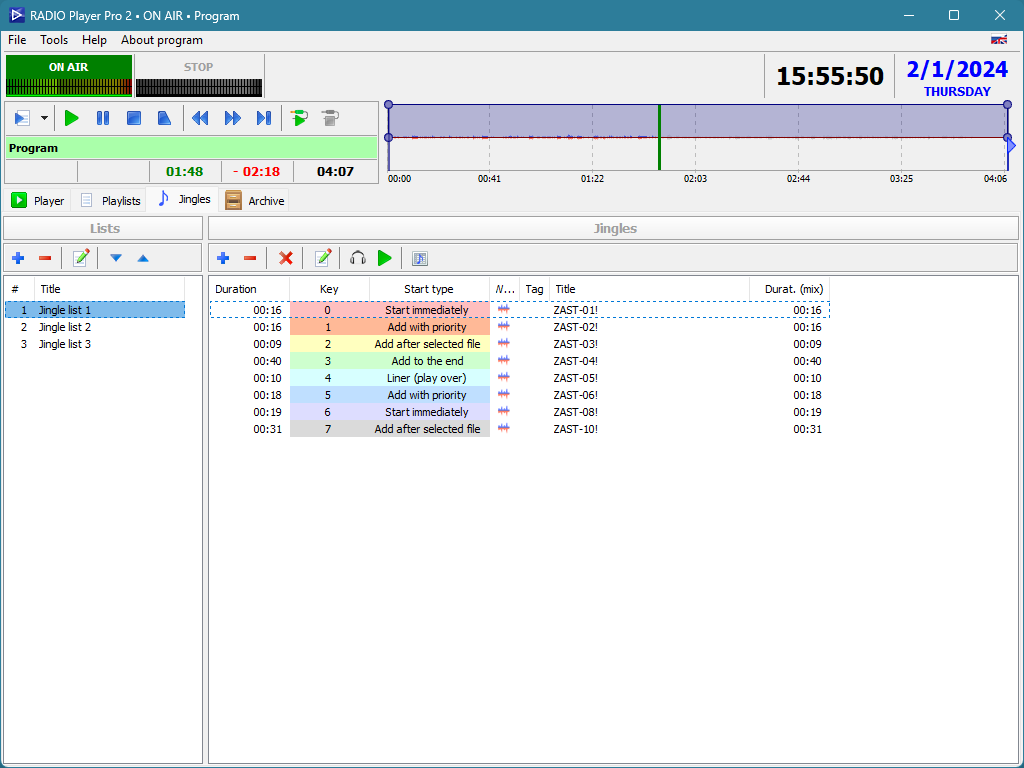
Jingles
Jingle lists where each key gets a start type: immediately, with priority, after the selected file or as a liner over air.
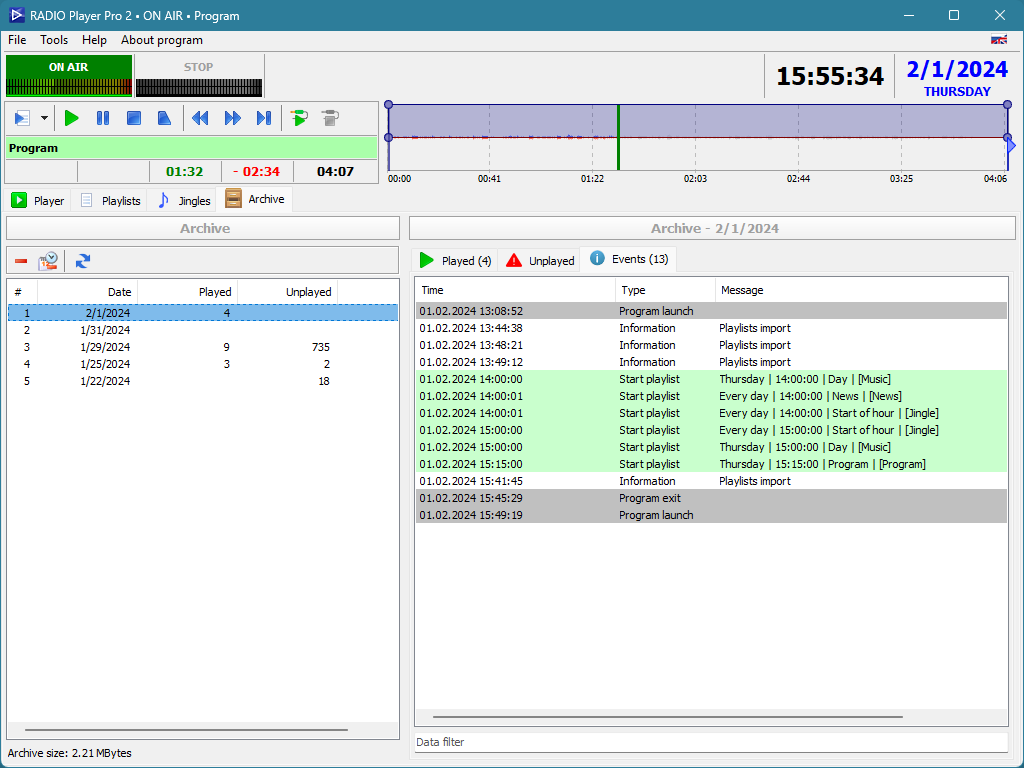
Archive
Archive by date with the Events tab open: program launches, playlist starts by time and playlist import records.
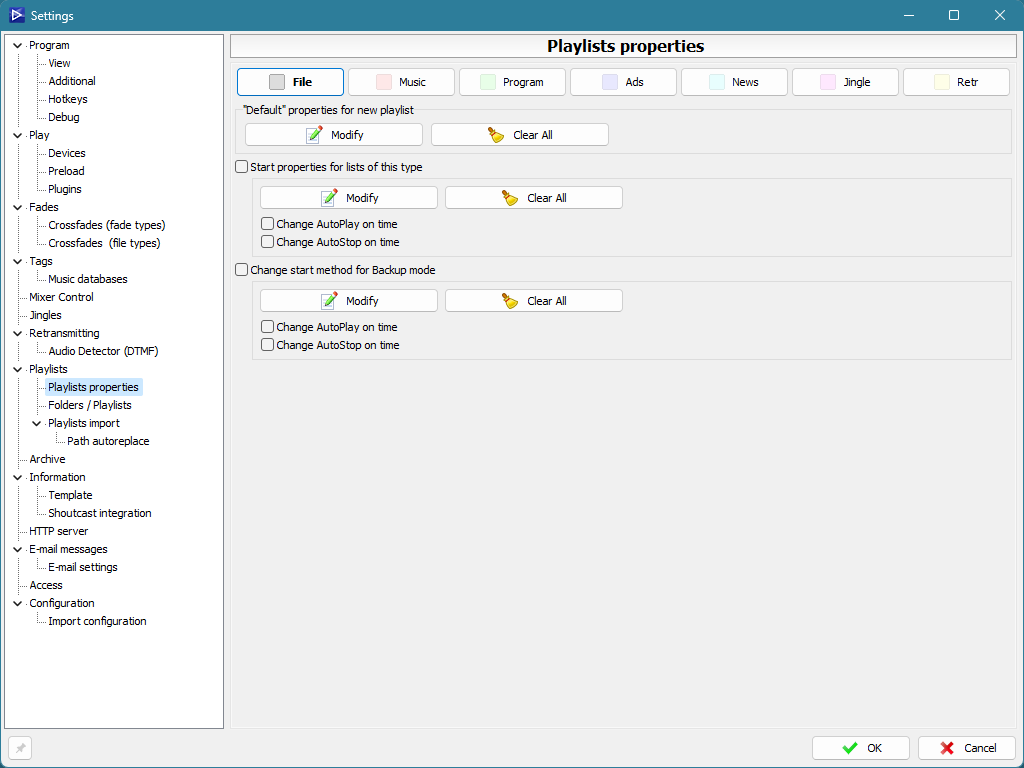
Settings
The settings tree with the Playlists properties page open, where default options are set for every type of list.
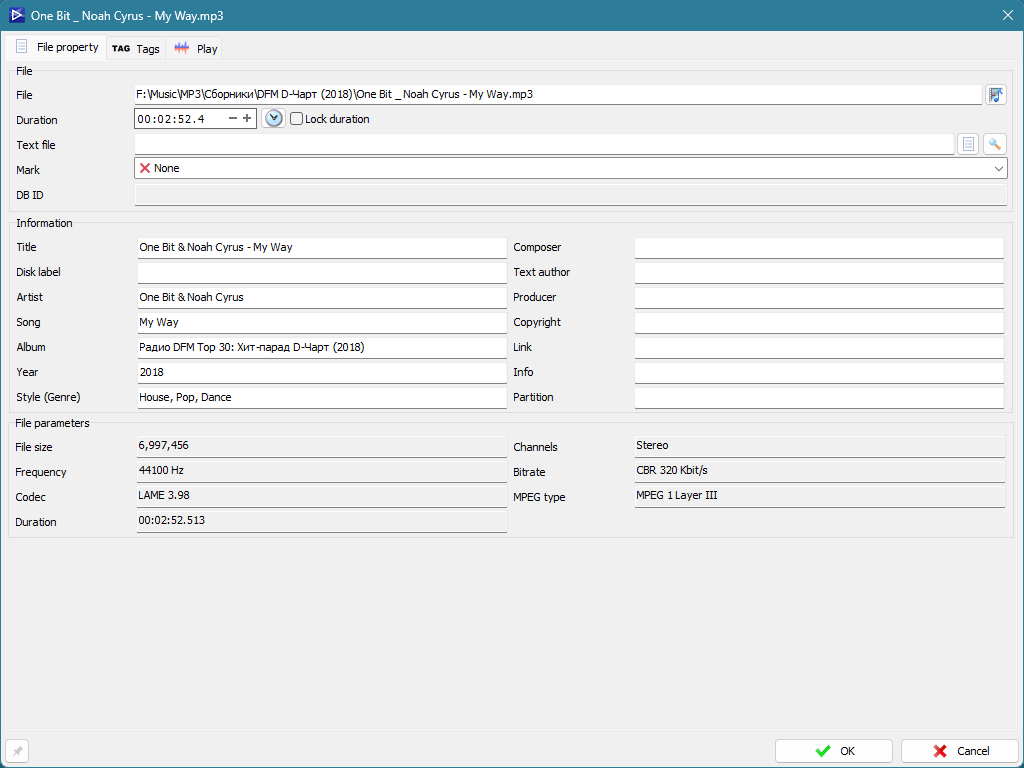
File property
File card with path, duration, mark, description fields and audio parameters: frequency, bitrate, codec and channels.
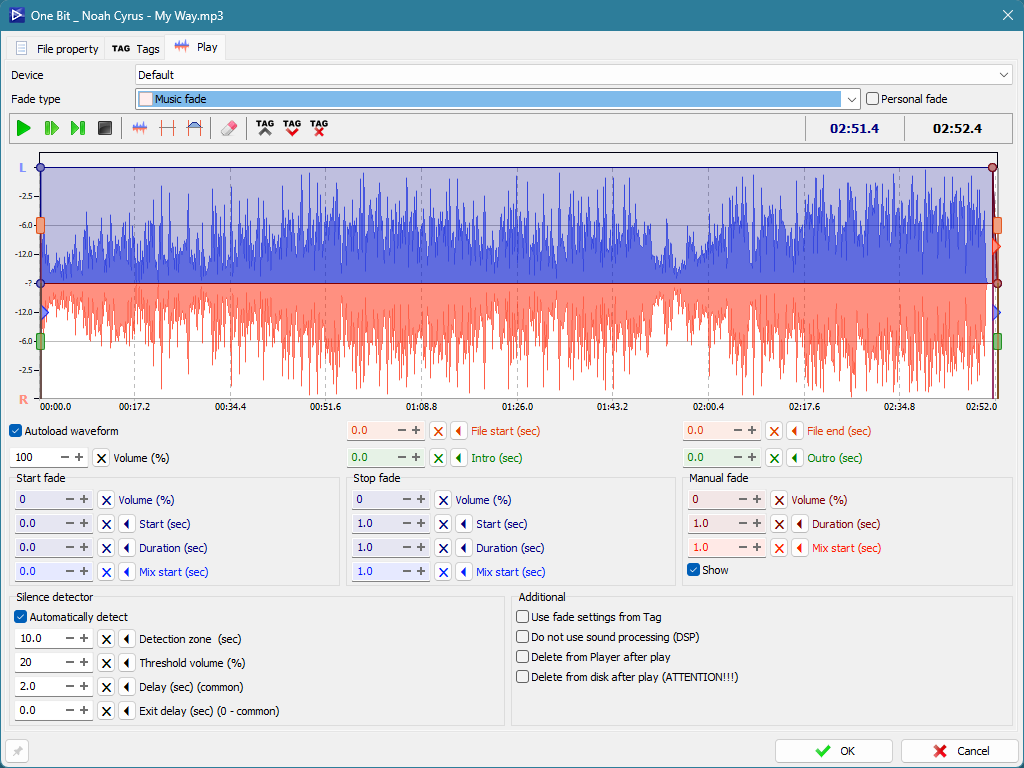
File property. Play
The Play tab: waveform with intro and outro marks, start, stop and manual fade settings, and the silence detector.
Playlist property
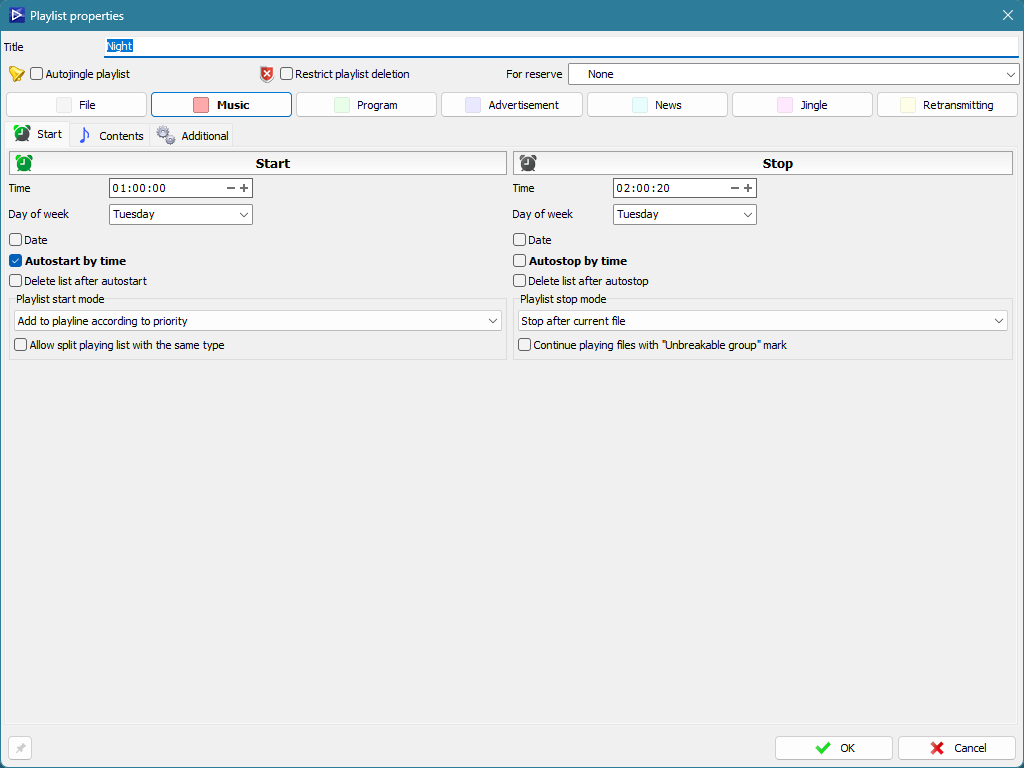
The Start tab with autostart and autostop time, day of week, the way the list joins the play line and how it stops.
Playlist property. Contents
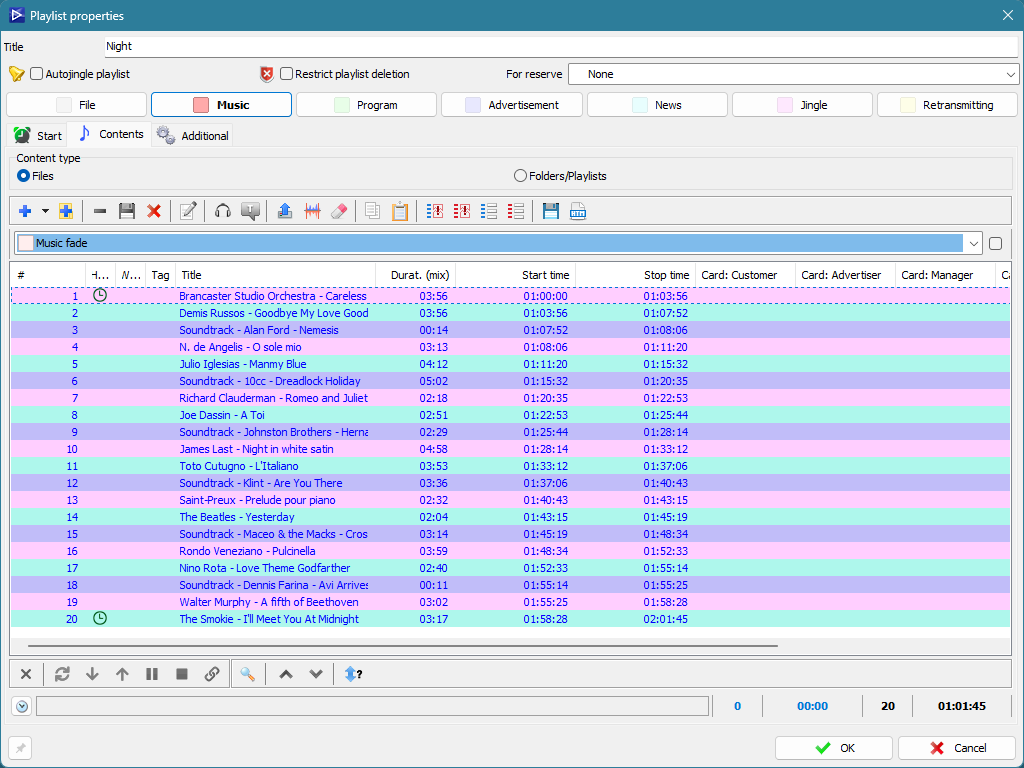
List contents with calculated start and stop time for every file and card columns for customer, advertiser and manager.
Playlist property. Advanced
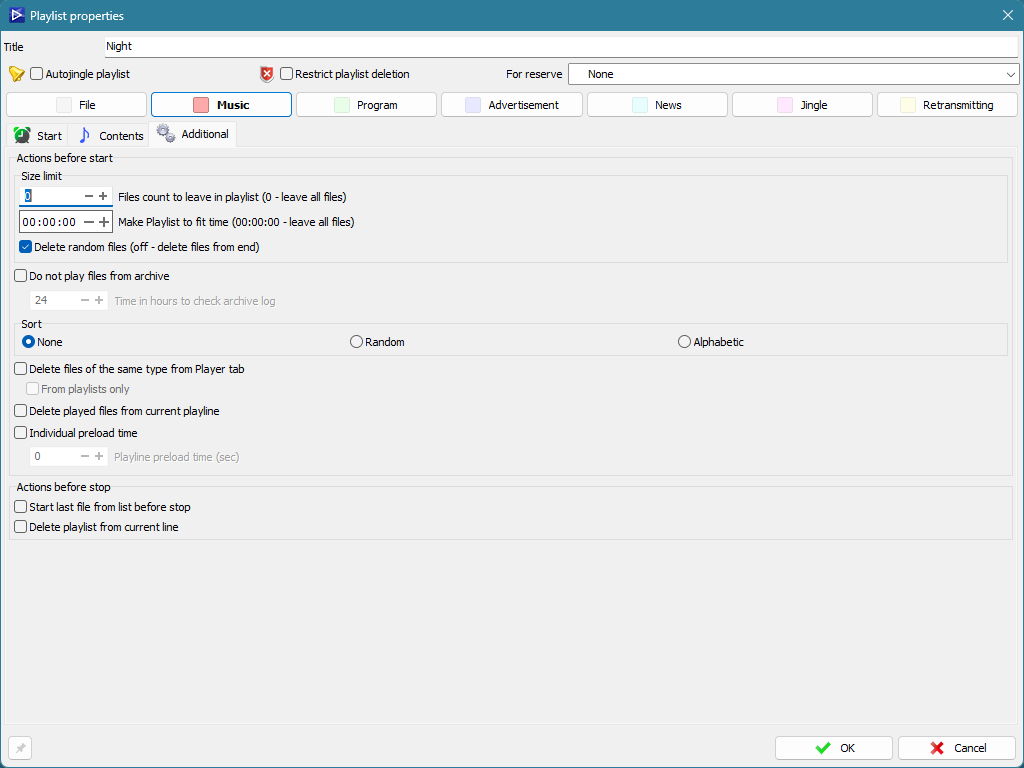
Actions before start and stop: size limit, fit to time, sorting and deletion of played files from the play line.
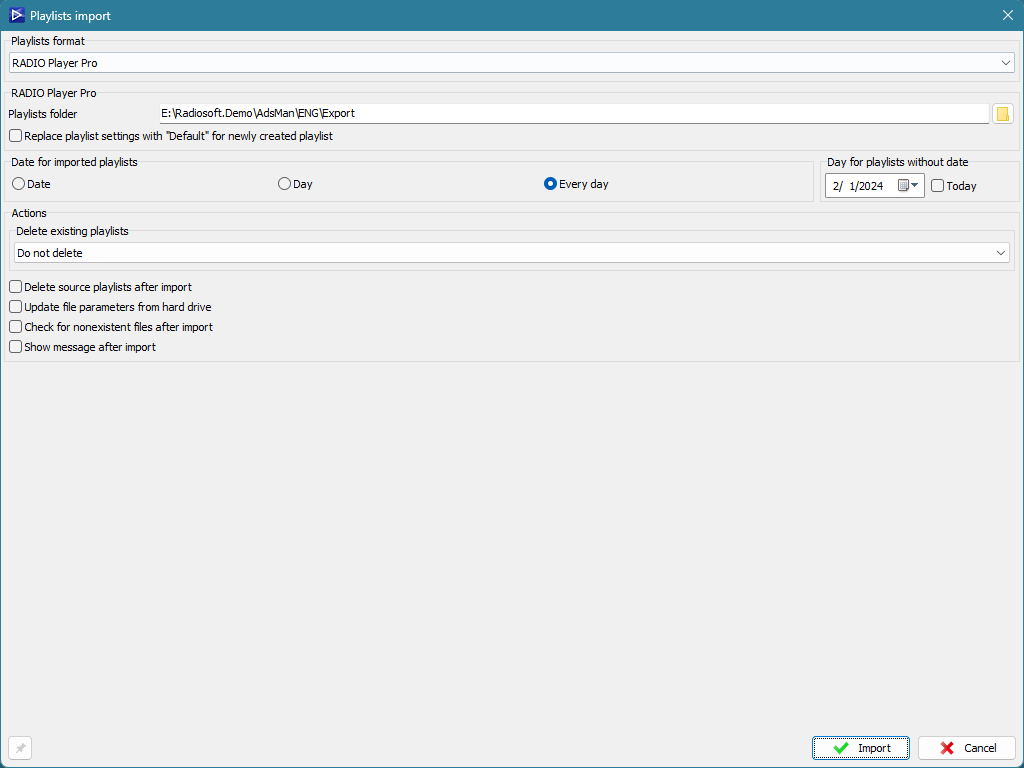
Import window
Playlist import: source format and folder, the date assigned to imported lists and rules for deleting existing ones.